SSA Online Application Walkthrough: Every Screen Explained
TL;DR: This detailed walkthrough covers every screen of the SSA online disability application at ssa.gov/applyfordisability, including account creation, personal information entry, medical condition listing, provider information, medication documentation, work history, and submission. Tips for each section help you avoid common mistakes.

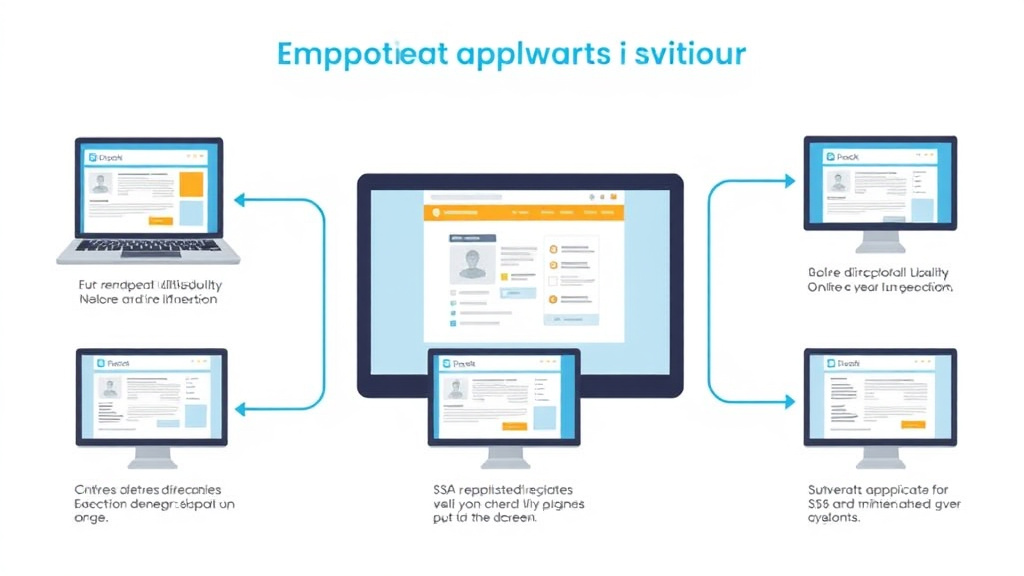
This guide provides a screen-by-screen walkthrough of the SSA online application, expanding on our online application guide with more detail on each section.
The SSDI application process takes an average of 3 to 6 months for an initial decision. If denied, the appeals process can add another 12 to 24 months depending on your region. Having complete and detailed medical documentation is the single biggest factor in SSDI approval. Request records from all treating providers before submitting your application. Many claimants benefit from organizing their medical history into a timeline showing how their condition has progressed. This helps SSA reviewers see the full picture without searching through hundreds of pages.
What the SSA Evaluates
The SSA uses a five-step sequential evaluation process for every SSDI claim. At Step 3, they check whether your condition meets or equals a Blue Book listing. If it does not, they assess your Residual Functional Capacity (RFC) at Steps 4 and 5 to determine what work you can still perform. Your application documentation should address both the listing criteria and your functional limitations.
The SSDI application process takes an average of 3 to 6 months for an initial decision. If denied, the appeals process can add another 12 to 24 months depending on your region. Having complete and detailed medical documentation is the single biggest factor in SSDI approval. Request records from all treating providers before submitting your application. Many claimants benefit from organizing their medical history into a timeline showing how their condition has progressed. This helps SSA reviewers see the full picture without searching through hundreds of pages.
Documentation Strategy
Strong claims share these elements:
- Consistent medical treatment over time (not a single visit)
- Specialist records (not just primary care)
- Objective test results supporting your diagnosis
- Specific, measurable functional limitations on all forms
- Medication history showing treatment attempts and side effects
- Physician support letter or RFC assessment from your treating doctor
For detailed guidance on completing your application forms, see our guides on the Disability Report (SSA-3368), Function Report (SSA-3373), and Work History Report (SSA-3369).
Approval rates at the ALJ hearing level are significantly higher than at the initial or reconsideration stages. Nationally, about 50% of claimants who reach a hearing receive a favorable decision. Claimants with legal representation at hearings win approval at roughly twice the rate of those without representation. Many disability attorneys work on contingency, so there is no upfront cost. Your specific approval odds depend on your medical evidence, your age, your work history, and the particular judge assigned to your case.
Common Application Mistakes
- Listing only one condition when you have multiple diagnoses
- Vague descriptions like "I can't work" instead of specific limitations
- Describing your best days instead of typical days
- Not reporting medication side effects
- Missing medical providers on your SSA-827 forms
- Treatment gaps without explanation
See our 12 common SSDI mistakes guide for detailed prevention strategies.
The SSDI application process takes an average of 3 to 6 months for an initial decision. If denied, the appeals process can add another 12 to 24 months depending on your region. Having complete and detailed medical documentation is the single biggest factor in SSDI approval. Request records from all treating providers before submitting your application. Many claimants benefit from organizing their medical history into a timeline showing how their condition has progressed. This helps SSA reviewers see the full picture without searching through hundreds of pages.
How DisabilityFiled Helps
DisabilityFiled's AI Intake translates your plain-English descriptions into SSA-compliant language. Our Form Auto-Population fills out SSA-16-BK, SSA-787, SSA-3369, and SSA-827 based on your answers. Our Application Strength Score rates your claim before submission so you can fix weak spots. And our Physician Letter Template gives your doctor a framework customized to your conditions.
DisabilityFiled offers a $49 Complete Packet that organizes your information for your own application. It is a document preparation service, not a law firm, and it does not provide legal advice or guarantee any outcome. No subscriptions, no percentage of your benefits.
Start your application now and get your forms right the first time.
The SSDI application process takes an average of 3 to 6 months for an initial decision. If denied, the appeals process can add another 12 to 24 months depending on your region. Having complete and detailed medical documentation is the single biggest factor in SSDI approval. Request records from all treating providers before submitting your application. Many claimants benefit from organizing their medical history into a timeline showing how their condition has progressed. This helps SSA reviewers see the full picture without searching through hundreds of pages.
What to Do Next
- Gather your medical records from every provider you have seen in the past 2 years. Request these now, as providers can take 2 to 4 weeks to process records requests.
- Create a my Social Security account at ssa.gov to check your earnings record and estimated benefit amount before applying.
- Write down your daily limitations in specific terms: how long you can sit, stand, walk, lift, and concentrate. You will need these details for the application forms.
- Start your DisabilityFiled application at disabilityfiled.com/intake to organize your application information with the free guided intake.
Try our free tools
Frequently Asked Questions
How does the SSA online disability application walkthrough cover every screen?
This detailed walkthrough covers every screen of the SSA online disability application at ssa.gov/applyfordisability, including account creation, personal information entry, medical condition listing, provider information, medication documentation, work history, and submission. Tips for each section help you avoid common mistakes.
What the SSA Evaluates?
The SSA uses a five-step sequential evaluation process for every SSDI claim. At Step 3, they check whether your condition meets or equals a Blue Book listing. If it does not, they assess your Residual Functional Capacity (RFC) at Steps 4 and 5 to determine what work you can still perform.
What are some common mistakes to avoid in the SSDI application process?
Common mistakes include listing only one condition when you have multiple diagnoses, using vague descriptions like 'I can't work' instead of specific limitations, describing your best days instead of typical days, not reporting medication side effects, missing medical providers on your SSA-827 forms, and having treatment gaps without explanation. See our 12 common SSDI mistakes guide for detailed prevention strategies.
How DisabilityFiled Helps?
DisabilityFiled offers a $49 Complete Packet that organizes your information for your own application. It is a document preparation service, not a law firm, and it does not provide legal advice or guarantee any outcome. Our Form Auto-Population fills out SSA-16-BK, SSA-787, SSA-3369, and SSA-827 based on your answers. Our Application Strength Score rates your claim before submission so you can fix weak spots.